

Supported controllers
Every controller can be tested and scored. PlayStation Save to console writes the pad over USB on the web. Xbox and Nintendo first-party pads Save to console over USB in the Steam desktop app. Pick yours for the specifics.
PlayStation
DualSense and DualShock 4 can have centre and range written over USB. Licensed PlayStation pads in the table below are test-and-score only in the browser.
- DualSensePS5 DualSense stick drift
- DualSense EdgeDualSense Edge stick drift
- DualShock 4PS4 DualShock 4 stick drift
- DualShock 4 (CUH-ZCT2)DualShock 4 CUH-ZCT2 stick drift
Licensed & third-party
PlayStation-licensed pads: stick drift test and Health Score in the browser. No DualSense-style USB write on these models.
Nacon Revolution (5 Pro, Unlimited)PlayStation-class on PC but no DriftNo USB centre/range writes. Test here, tune profiles in Nacon software.Stick drift test and Health Score in the browser. USB-C / wireless dongle. Hall (5 Pro) or potentiometer. Calibrate via Nacon companion app. PlayStation Access ControllerFull stick drift test and Health Score in the browser. On-device calibration follows Sony’s limited Access path, not the full DualSense Quick Fix write.Stick drift test and Health Score in the browser. USB / Bluetooth. Accessibility analogue stick. Calibrate via PS5 accessibility settings. SCUF Reflex (PS5)Test and score like other PlayStation-licensed pads without Sony-style centre/range writes from DriftNo in the browser.Stick drift test and Health Score in the browser. USB / wireless. DualSense-class base hardware. Calibrate via PS5 / SCUF tools.
Xbox
Test and score in the web Lab. First-party Xbox pads Save to console over USB in the Steam desktop app. Licensed brands are listed below.
- Xbox Elite ControllerXbox Elite stick drift
- Xbox Wireless Controller (Series X|S)Xbox Series X|S controller stick drift
Licensed & third-party
Xbox-class and licensed pads: test and score in the Lab.
Xbox 360 ControllerTest and score on the web. First-party Xbox 360 pads Save to console over USB in the Steam desktop app.Stick drift test and Health Score in the browser. USB / wireless adapter. Legacy ALPS potentiometer. Calibrate via Steam Save to console over USB. GameSir (G7 SE, T4 Kaleid, Cyclone)Often enumerates as an Xbox-class pad. DriftNo does not store centre or range on the controller; Nexus handles vendor tuning.Stick drift test and Health Score in the browser. USB / 2.4GHz. Hall effect or potentiometer. Calibrate via GameSir Nexus. PowerA (Enhanced Wired, FUSION Pro)Licensed Xbox layout. Test and score in DriftNo; PC deadzones are not written to the pad from the browser.Stick drift test and Health Score in the browser. USB wired. ALPS potentiometer. Calibrate via Xbox Accessories / in-game deadzones. Razer Wolverine (V2, V2 Pro, V3 Pro)PC deadzone tweaks save in Razer’s app. Use DriftNo to separate offset drift from worn pots.Stick drift test and Health Score in the browser. USB / 2.4GHz. Mechanical potentiometer sticks. Calibrate via Razer Controller Setup. SCUF Instinct & EnvisionXbox-class browser limits. Reflex on PS5 is listed with other PlayStation licensed pads.Stick drift test and Health Score in the browser. USB / wireless. Xbox-class base hardware. Calibrate via Console settings / iCUE (Envision). Victrix Pro BFGSwap worn modules, then re-test. Browser path is diagnosis only for this pad.Stick drift test and Health Score in the browser. USB / 2.4GHz dongle. Modular pot or hall sticks. Calibrate via Victrix Control Hub. Turtle Beach (Stealth Ultra, React-R)Stealth Ultra tuning stays on the controller or vendor app.Stick drift test and Health Score in the browser. Wireless / USB. Hall (Stealth) or potentiometer. Calibrate via On-pad screen / Turtle Beach app.
Nintendo
Testing and Health Score on the web. Switch Pro and Joy-Con Save to console over USB on Steam. GuliKit and other Switch-friendly pads are listed below.
Licensed & third-party
Switch-friendly brands: test and score only; calibration stays on the pad or in the vendor app.
GuliKit (KingKong 2 / KK3 Max)Popular on Switch and PC. Measure rest drift in DriftNo, then use GuliKit’s hardware recalibration when supported.Stick drift test and Health Score in the browser. Bluetooth / USB-C. Hall effect / TMR. Calibrate via On-pad calibration button.
Third-party & legacy controllers
Multi-platform brands that do not map cleanly to one console family. Every pad here still gets stick drift test and Health Score in the browser when Windows sees a gamepad.
8BitDo (Ultimate, Pro 2, SN30 Pro)DriftNo reads sticks as a standard gamepad. Profiles and hardware deadzones live in 8BitDo’s app.Stick drift test and Health Score in the browser. Bluetooth / 2.4GHz / USB. Hall effect or ALPS potentiometer. Calibrate via 8BitDo Ultimate Software. Flydigi (Vader 3 / 4 Pro, Apex 4)Tension and curves are set in Space Station. DriftNo only measures reported gamepad input.Stick drift test and Health Score in the browser. 2.4GHz / Bluetooth / USB. Hall effect (model-dependent). Calibrate via Flydigi Space Station. HORI (Fighting Commander, Horipad)Fight pads with digital sticks do not drift like analogue pots. Analogue Horipad models can still be scored here.Stick drift test and Health Score in the browser. USB wired. Digital microswitch or potentiometer. Calibrate via Not applicable.
Guides before you pick a pad
Capability tables tell you what the web Lab writes and what Steam Save to console writes. These guides explain wear, repair cost, and maintenance tools.
- What is stick drift?Symptoms, causes, and why feel alone is not enough.
- When calibration will not fix driftWear vs centre offset, and when cal makes things worse.
- Hall / TMR calibration after a swapCentre and range on DualSense and DualShock 4 over USB.
- Stick drift repair costShop, DIY, and when a new pad is cheaper.
- Deadzone vs fixing driftCompensation in games vs calibration and repair.
- Software cal vs Hall upgradeOffset fixes, wear, and when to change hardware.
- WebHID setup (Chrome / Edge)Connect DualSense or DualShock 4 over USB for writes.
- Xbox calibration in the browserWeb test and score; Steam Save to console over USB.
- All guidesFull maintenance cluster.
FAQ
Can I calibrate without opening the controller?
Yes on DualSense and DualShock 4 in the browser over USB. Xbox and Nintendo Save to console over USB in the Steam desktop app. Unplug and take the pad to your console. No disassembly and no soldering.
Does it work with Xbox controllers in the browser?
Yes. Test, score, and tune Xbox pads in the browser. Save to console for Xbox writes the pad over USB in the Steam desktop app. Unplug and use it on your Xbox.
Which browsers and devices work?
Chrome, Edge or Opera on a desktop or laptop. Calibration writes use WebHID, which needs a USB connection on most controllers. Firefox and Safari do not support WebHID, and phone browsers cannot run the tool. Use a computer, or the mobile app when it is available.
I fitted Hall effect sticks. Do I still need to calibrate?
Yes, and it matters more than people expect. New modules rarely land on the exact centre and range the controller expects, so a freshly repaired pad can still read off-centre until it is calibrated. Run a scan, calibrate centre and range, then re-test to confirm the repair.
Not sure which pad you have?
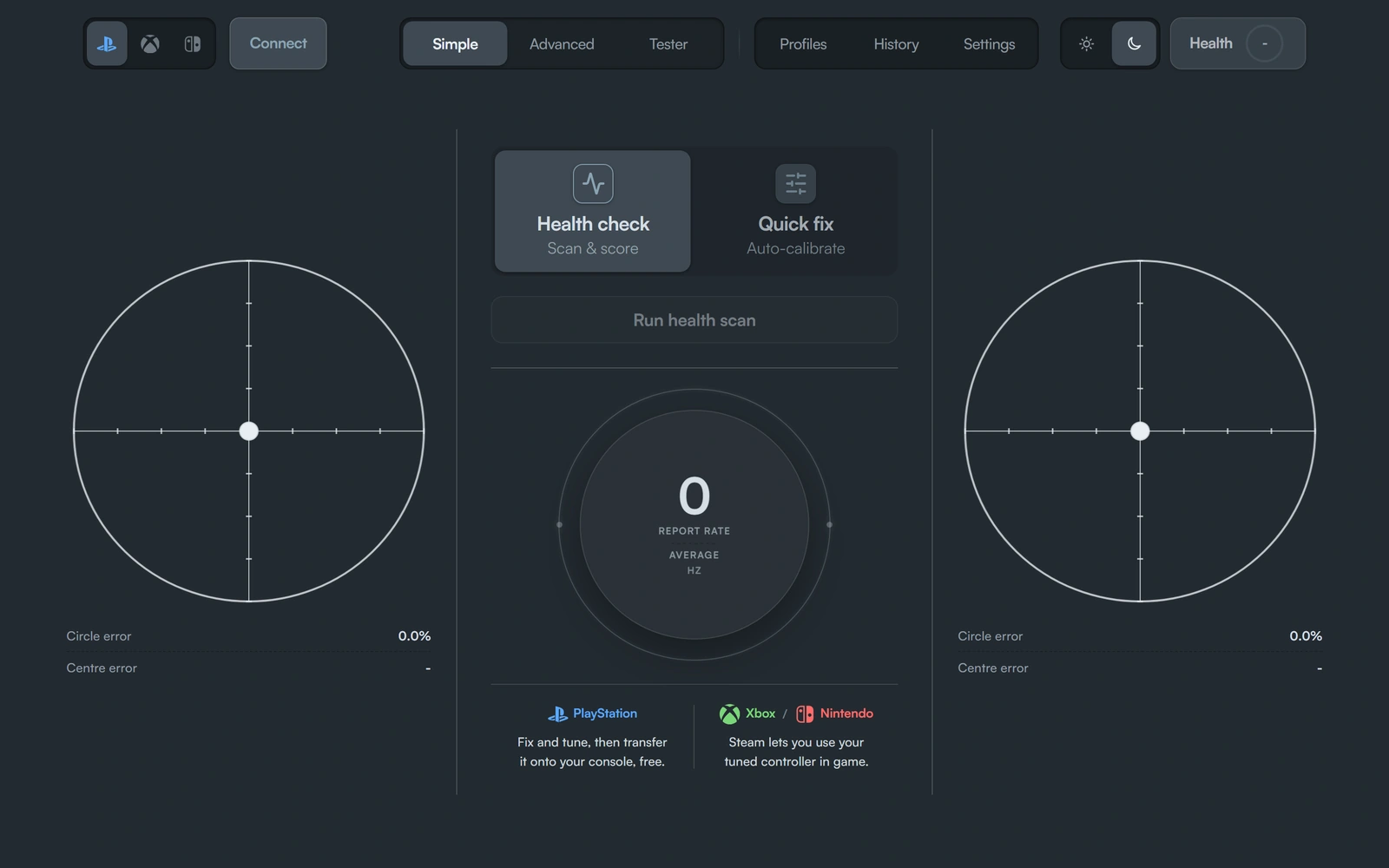
Connect it and DriftNo will name the controller it detects and show exactly what it can do with it.