Fix your controller on PC.
Transfer it onto your console.
The Lab in a phone browser cannot read your controller. You can still read how it
works, which pads we support, and what to expect. Run the fix on a desktop or laptop,
or in the mobile app when it is available.
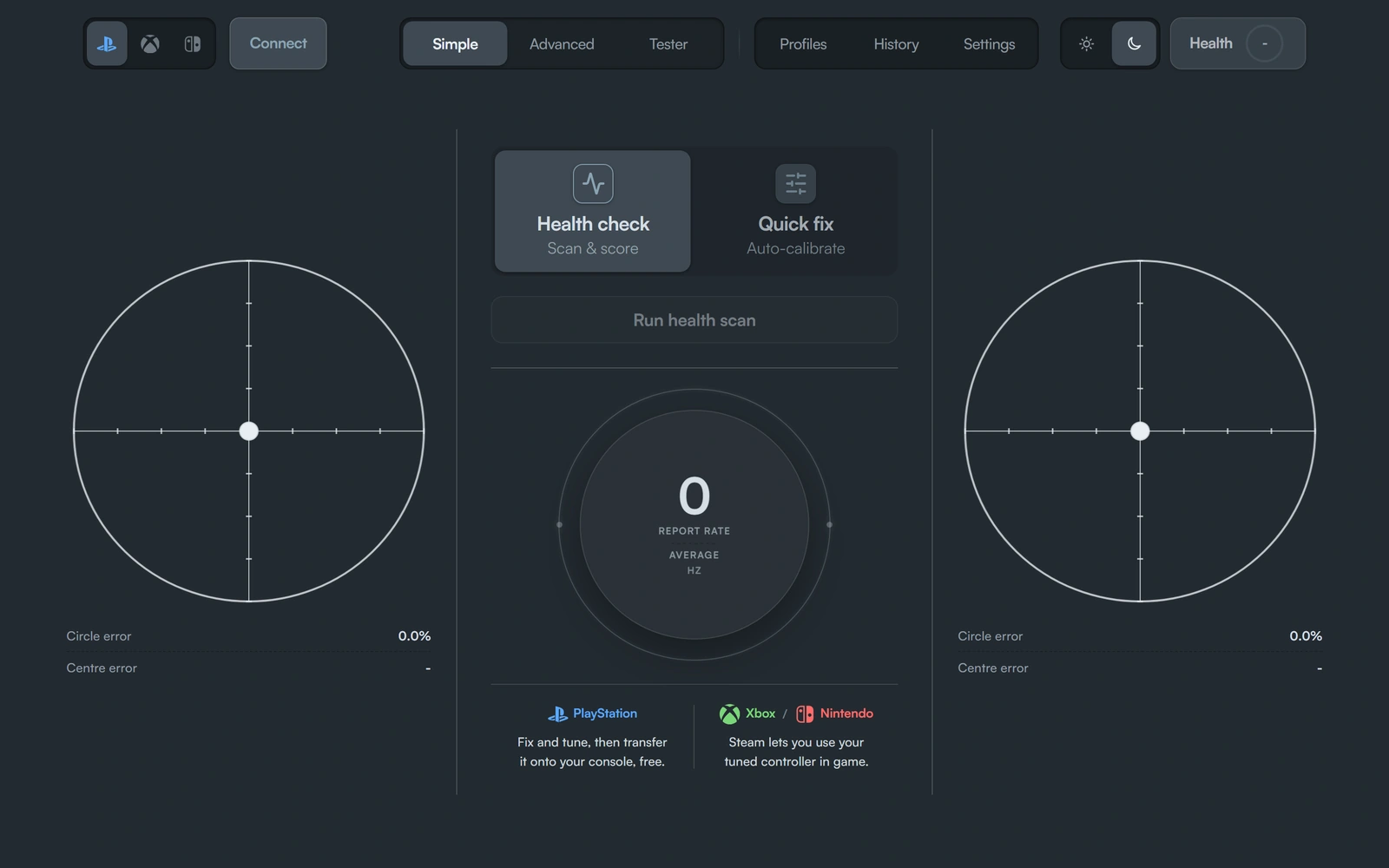
Stick drift is fixable in software when the cause is a wrong centre point or an uneven range, and not fixable when the sensor itself is worn. DriftNo measures which one you have, applies the correction when it can help, and shows you the Before and After so the result is not a guess.
Free. Connect over USB if you want the correction written to the controller.
Before / After
Before
58
+23
After
81
Resting drift4.8% → 0.9%
Centre offset0.07 → 0.01
Circularity11% → 6%
Illustration (58 → 81). In the Lab, Before / After is built from your scans after Quick Fix.
The guided path
1
Connect
Plug in and press any button. DriftNo detects the pad and its capabilities.
2
Scan
Hands off for a few seconds, then follow short prompts while we measure.
3
Fix
Quick Fix applies the correction your results call for. Hands off.
4
Before / After
See the score change, the drift delta, and what to do next.
The same four stages you see in the Lab. About two minutes end to end.
How to fix stick drift in a browser
You need a desktop or laptop, Chrome, Edge or Opera, and ideally a USB cable. The whole run takes about two minutes.
1
Connect the controller
Plug in with USB and press any button so the browser sees the pad. DriftNo identifies the model and shows what it can do with it.
2
Run the scan with your hands off
Rest the sticks for about five seconds so resting drift can be measured cleanly, then follow the short prompts that measure range and circularity.
3
Read the diagnosis, not just the score
The result names the fault (centre offset, range or shape error, unstable sensor) and recommends calibrating or replacing accordingly.
4
Run Quick Fix
Quick Fix applies the correction your results call for. PlayStation Save to console writes the pad over USB on the web. Xbox and Nintendo Save to console over USB in the Steam desktop app.
5
Check Before / After
Compare the two scores and the drift delta. If the number barely moved, the cause was probably hardware, and the page tells you that rather than claiming success.
Nothing in this path is paywalled. Premium adds profiles, history, Auto Optimise, custom curves, and PDF export, not better diagnostics.
Advanced bench: free vs Premium
After Quick Fix, open Advanced for stick and trigger tuning, linearity tests, device checks, and Repair check. All of the left column is free. The right column is what £10 once unlocks in this browser.
Free in Advanced
Free in Advanced
Stick response
Stick tuning: inner, outer, and anti-deadzone sliders
Response curve presets and stick sensitivity per side
Linearity / Precision wizard with cardinal test and curve recommendation
Triggers
Trigger calibration for rest point and full-pull mapping
Trigger deadzone and sensitivity tuning
Scopes and calibration
Scope plot styles on live stick traces
Manual centre and range calibration cards
Device bench
Device area tests, light bar, rumble, adaptive triggers, audio, motion (pad-dependent)
Repair check workflow after stick or trigger work
General tools, calibration backup, virtual pad filter, polling readout
Premium in Advanced
Profiles and history
Named tuning profiles so a saved setup loads without starting from zero
Health history to track whether scores hold or drift comes back
Automation
Auto Optimise for deadzone, curve, and sensitivity from scan data
Stick curve editor with custom response curves
Curve editors
Per-axis sensitivity with separate horizontal and vertical gain
Trigger curve editor
Export and storage
Downloadable session report (PDF)
Stored in this browser with a DRIFT recovery key and no account
Deadzone sliders in the browser are a preview. They do not write the pad. PlayStation Save to console is free on the web. Xbox and Nintendo Save to console over USB in the Steam desktop app.
When software helps and when it does not
Centre offset
A stick that rests off-centre is the classic case software helps with. Centre calibration moves the resting point back.
Uneven range or shape
If full deflection does not reach the edge evenly, range calibration and circularity correction can even it out.
Small resting wobble
Low-level noise around centre can be masked with a measured inner deadzone instead of a guessed one.
Post-repair setup
After a stick module swap, including Hall effect or TMR, calibration is how you make the new hardware read correctly.
Worn potentiometers
Scratchy, jumpy or random movement usually means the carbon track is worn. No software setting repairs that.
Physical damage
A cracked gimbal, bent shaft or dry joint after modding needs a repair, not a calibration.
Drift that returns in minutes
If a fix holds for a few minutes and then slips back, the hardware is unstable. Replace the module, then calibrate.
Save to console writes the pad
PlayStation Save to console is free over USB on the web. Xbox and Nintendo Save to console over USB in the Steam desktop app. Unplug and take the pad to your console.
Calibrate or replace the stick?
This is the decision most people need. If the stick rests off-centre but the reading is steady, Quick Fix and calibration are the right tools. If the reading jumps while untouched, or a fix slips back within minutes, replace the module, then calibrate.
The full rest-behaviour table and wear warnings are in the dedicated guide so this page does not compete with it in search.
After a stick replacement, calibration is the finishing step
If you fit a new module, including Hall effect or TMR sticks, the controller is still using reference values from the old one. A freshly repaired pad can read off-centre and feel wrong until it is calibrated, which leads people to think the repair failed when it has not.
Run a scan, calibrate centre and range, then re-test. The Before/After comparison is how you confirm the repair rather than hoping.
Fix guidance by controller
Calibration support differs by pad. Check yours before you start.
PlayStation
Save to console over USB in Chrome or Edge, or in the Steam desktop app.
It depends on the cause. If the stick rests off-centre but is otherwise stable, calibration can correct it and the correction holds. If the potentiometer is worn (scratchy, jumpy, drift that comes back within minutes) no software can repair that. DriftNo tells you which case you are in instead of guessing.
How do I know whether to calibrate or replace the stick?
Run the scan first. Stable readings with an off-centre rest point point to calibration. Noisy, inconsistent readings, or drift that returns shortly after a fix, point to a worn module - replace it, then calibrate the new one.
What is in Advanced without paying?
Switch to Advanced in the Lab for stick inner/outer/anti deadzones, curve presets, linearity testing, trigger cal and trigger deadzones, scope plot styles, manual centre/range cards, pad-specific device tests, Repair check after hardware work, and calibration backup tools. You can preview all of that without Premium. Paying only matters if you want profiles, history, Auto Optimise, custom curves, or a PDF report.
What does Premium unlock in Advanced?
Not the diagnostics. Those stay free. Premium unlocks named profiles, health history over time, Auto Optimise after scans, the stick and trigger curve editors, separate X/Y sensitivity, and a downloadable session PDF. Browser Save during a visit stays free; Premium is for coming back to named setups on this computer.
Can calibration make drift worse?
It can on a badly worn stick, because you are moving the reference point of a sensor that is no longer consistent. When the scan sees signs of wear, DriftNo recommends replacing the module first rather than calibrating over the problem.
Can I calibrate without opening the controller?
Yes on DualSense and DualShock 4 in the browser over USB. Xbox and Nintendo Save to console over USB in the Steam desktop app. Unplug and take the pad to your console. No disassembly and no soldering.
Does it work with Xbox controllers in the browser?
Yes. Test, score, and tune Xbox pads in the browser. Save to console for Xbox writes the pad over USB in the Steam desktop app. Unplug and use it on your Xbox.
Do I need USB, or will Bluetooth work?
Bluetooth is fine for testing and for the Health Score. Calibration writes need USB on most controllers, so plug the cable in before running the parts of Quick Fix that save to the pad.
Run the fix now
Two minutes, free, and you will know whether this is a calibration job or a repair job.