Fix your controller on PC.
Transfer it onto your console.
The Lab in a phone browser cannot read your controller. You can still read how it
works, which pads we support, and what to expect. Run the fix on a desktop or laptop,
or in the mobile app when it is available.
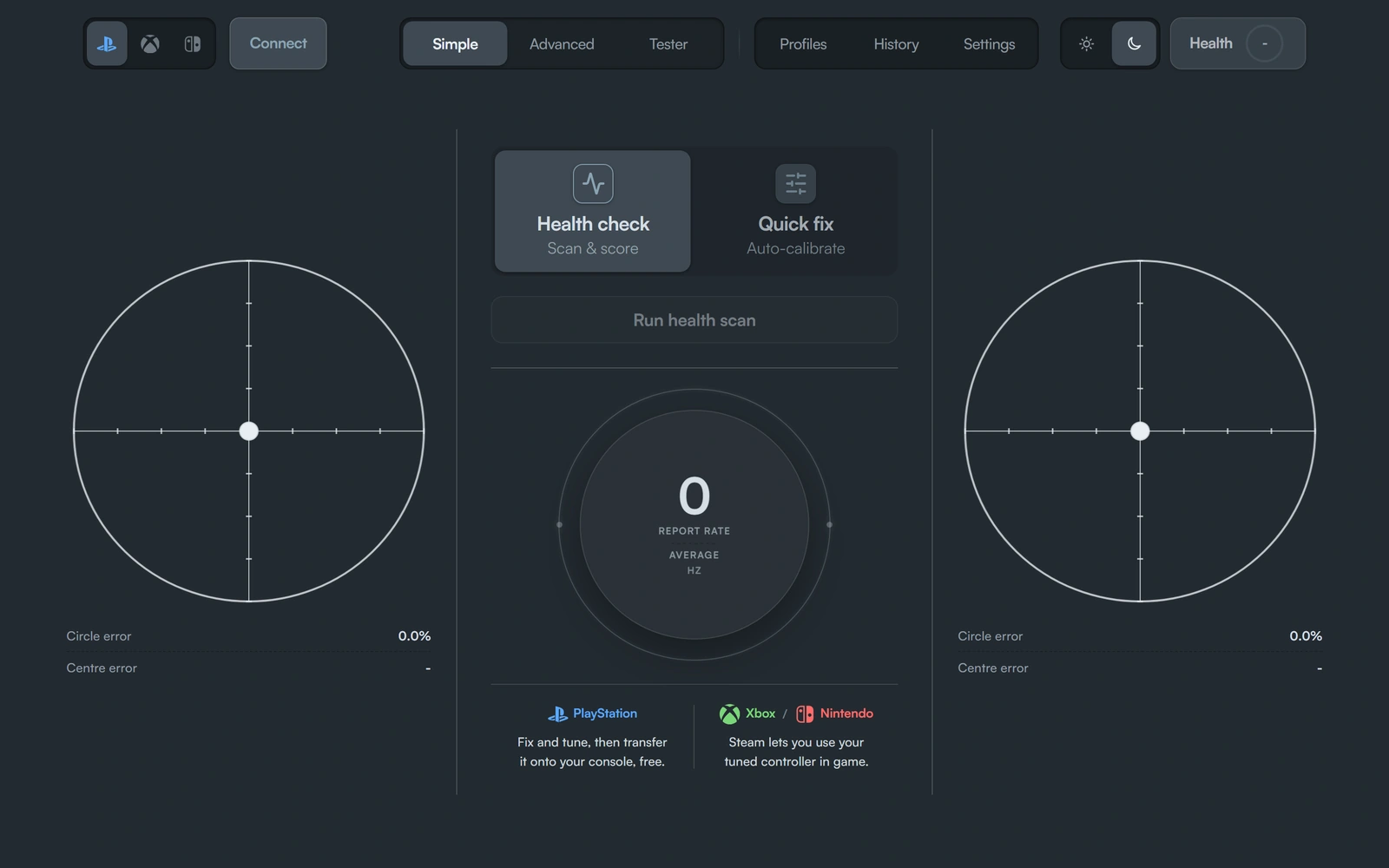
DriftNo reads the values your controller reports through the browser’s controller APIs, the same signal a game receives. Resting drift is sampled with your hands off. Range and circularity are sampled while you trace the rim. Those numbers become a 0-100 Health Score so you can compare before and after a change.
The Gamepad API and WebHID show the numbers the firmware emits. They do not photograph the carbon track. That is why stability matters as much as magnitude: a 4% offset that sits still is a different job from a 4% reading that chatters.
Games apply their own deadzones, so a pad can measure poorly here and still feel acceptable in some titles. The score is a hardware-and-calibration reading, not a review of how good the controller is as a product.
Why one number
Individual metrics move in different directions after a fix. A composite 0-100 figure is how you answer “did that help?” without arguing about feel. The band (healthy / minor / moderate / significant / severe) maps to an action. Always read the per-stick breakdown underneath: a 64 with one stick at 90 and one at 40 is a one-stick repair.
A single 0-100 rating DriftNo calculates from resting drift, circularity error, jitter and trigger behaviour, with a component breakdown underneath. It exists so you can compare the same controller before and after a fix instead of relying on how it feels.
How do I test stick drift online?
Open DriftNo on a computer, connect the controller, take your hands off the sticks for about five seconds, then follow the short prompts. You get a resting drift reading, a circularity measurement and a 0-100 Controller Health Score.
Does Before / After use my controller’s real scans?
Yes. In Quick Fix, the before and after Health Score, drift, and shape metrics come from your pad’s own readings, not a generic average. Site illustrations may show sample scores (for example 58 → 81); your Lab pair is always yours. Software tuning often moves the score less than replacing a worn stick module.
How do I know whether to calibrate or replace the stick?
Run the scan first. Stable readings with an off-centre rest point point to calibration. Noisy, inconsistent readings, or drift that returns shortly after a fix, point to a worn module - replace it, then calibrate the new one.
Does my controller data leave my computer?
Controller input is read and processed locally in your browser for diagnostics. There is no account to create to run a test.
See your own numbers
The methodology only matters once it is your controller on the bench.