Fix your controller on PC.
Transfer it onto your console.
The Lab in a phone browser cannot read your controller. You can still read how it
works, which pads we support, and what to expect. Run the fix on a desktop or laptop,
or in the mobile app when it is available.
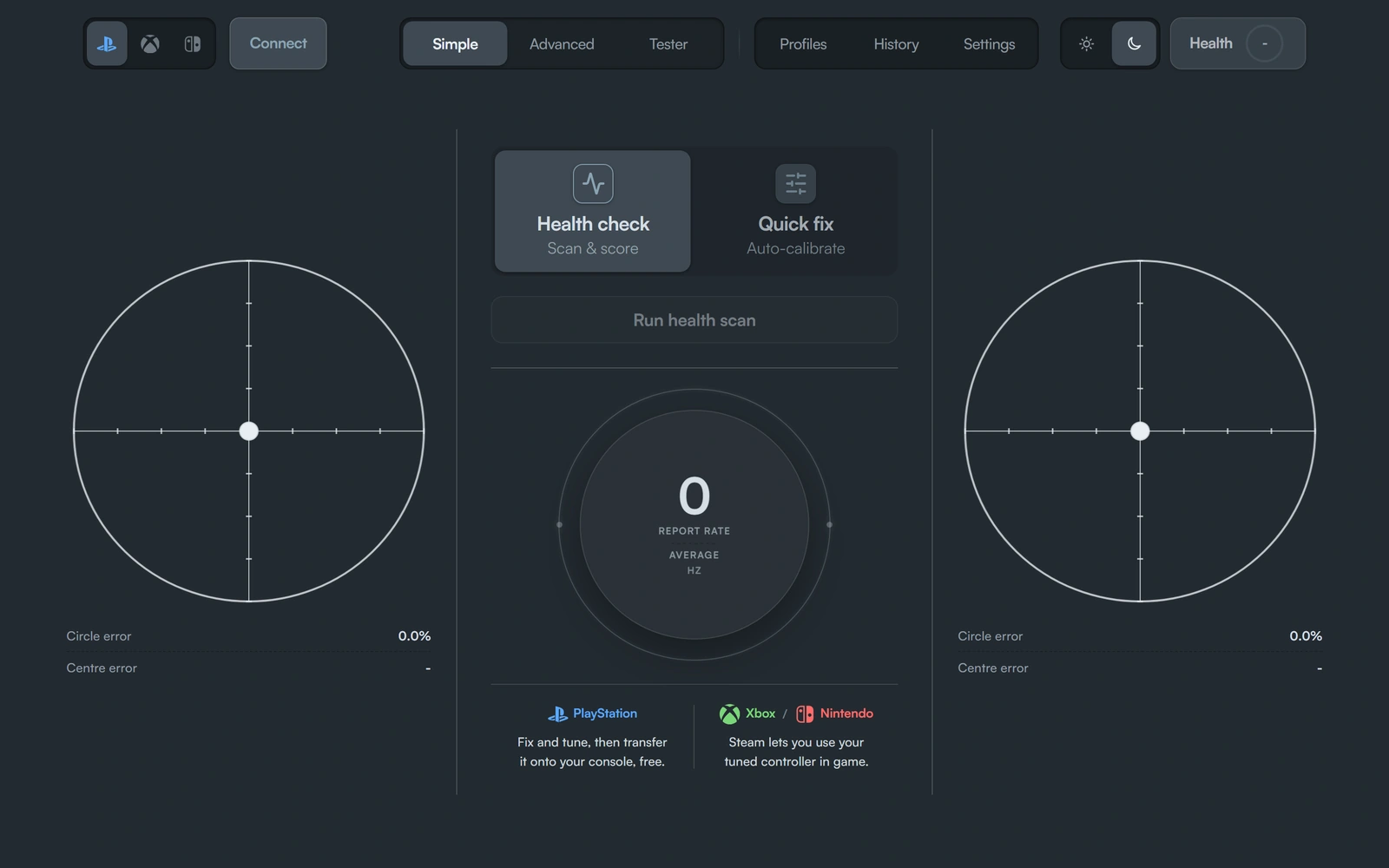
The free path includes stick drift test, Health Score, Quick Fix, Before / After, the full Advanced bench, and DualSense / DualShock 4 USB transfer. Premium (£10 once) adds profiles and history in this browser. DriftNo on Steam (£19.99 once) is the Windows app: Xbox and Nintendo Save to console over USB.
What is the difference between Premium and DriftNo on Steam?
Premium (£10 once) keeps your work in this browser: profiles, health history, Auto Optimise, custom stick and trigger curves, per-axis sensitivity, and session PDFs. PlayStation Save to console stays free on the web. DriftNo on Steam (£19.99 once) includes Premium plus Xbox and Nintendo Save to console over USB. Both are one-off payments, not subscriptions.
Is DriftNo free?
Yes for the full fix path. Health scan, Controller Health Score, Quick Fix, Before / After, and the gamepad tester are free. So is the whole Advanced bench: deadzone sliders, trigger calibration, linearity wizard, device tests, and Repair check. So is PlayStation USB transfer to console. Premium (£10 once) adds named profiles, health history, Auto Optimise, custom curves, per-axis sensitivity, and session PDF export in this browser.
What is in Advanced without paying?
Switch to Advanced in the Lab for stick inner/outer/anti deadzones, curve presets, linearity testing, trigger cal and trigger deadzones, scope plot styles, manual centre/range cards, pad-specific device tests, Repair check after hardware work, and calibration backup tools. You can preview all of that without Premium. Paying only matters if you want profiles, history, Auto Optimise, custom curves, or a PDF report.
What does Premium unlock in Advanced?
Not the diagnostics. Those stay free. Premium unlocks named profiles, health history over time, Auto Optimise after scans, the stick and trigger curve editors, separate X/Y sensitivity, and a downloadable session PDF. Browser Save during a visit stays free; Premium is for coming back to named setups on this computer.
Will deadzone changes apply inside my games?
Save to console writes centre and range onto the pad. PlayStation is free over USB on the web. Xbox and Nintendo Save to console over USB in the Steam desktop app. Sliders update the Lab scopes.
Does it work with Xbox controllers in the browser?
Yes. Test, score, and tune Xbox pads in the browser. Save to console for Xbox writes the pad over USB in the Steam desktop app. Unplug and use it on your Xbox.
Does my controller data leave my computer?
Controller input is read and processed locally in your browser for diagnostics. There is no account to create to run a test.
Fix first, pay second
Run the free path first. Premium or Steam only when the workflow outgrows one browser session.