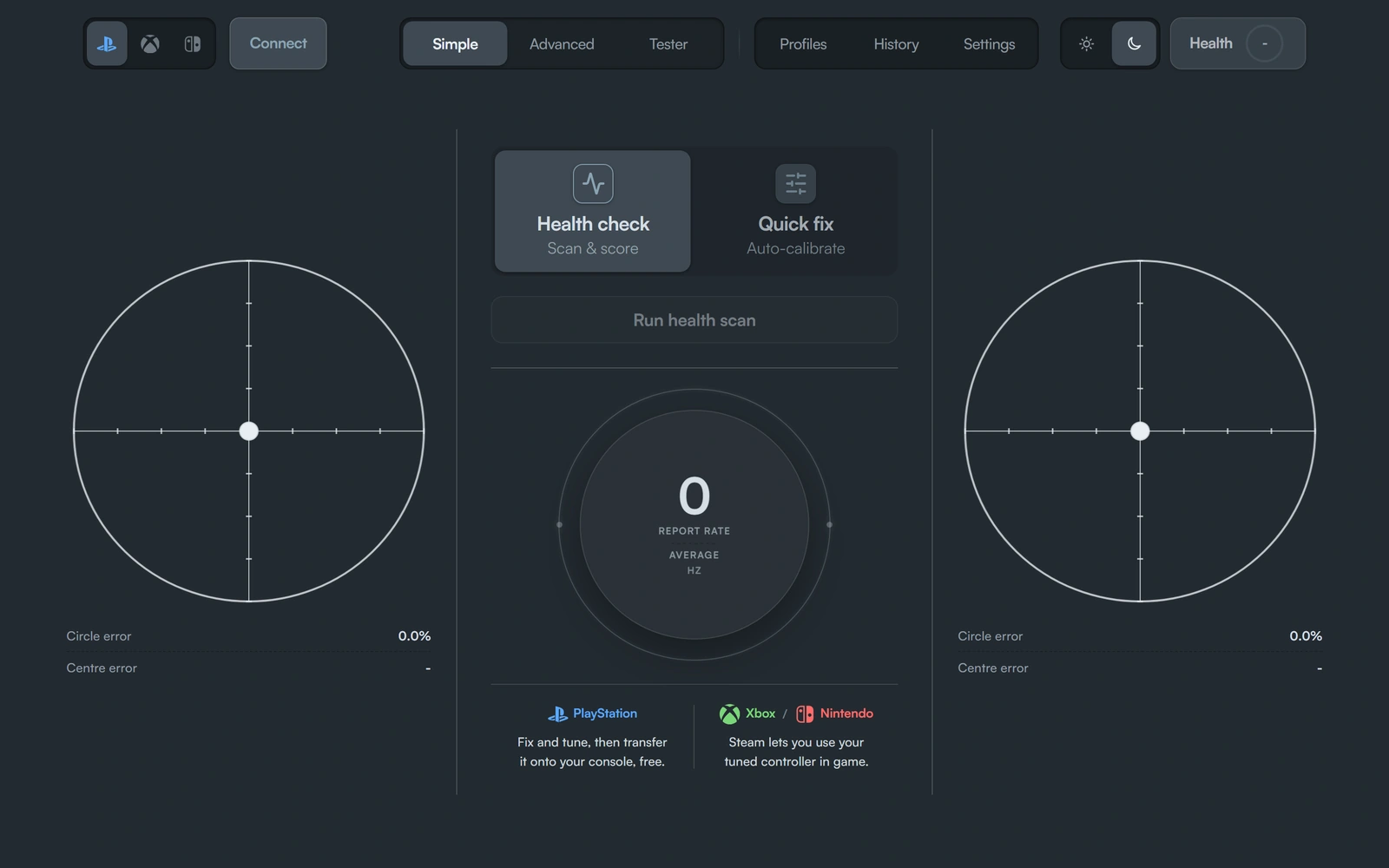
Fix your controller on PC.
Transfer it onto your console.
The Lab in a phone browser cannot read your controller. You can still read how it
works, which pads we support, and what to expect. Run the fix on a desktop or laptop,
or in the mobile app when it is available.
Is controller calibration safe? NVS writes, bricking risks & facts
Connecting a game controller to a web browser for hardware calibration raises an understandable question: can this brick my controller? On DualSense and DualShock 4, calibration modifies dedicated sensor offset registers in non-volatile storage (NVS), leaving core firmware and bootloader untouched. Here is how it works and what the safety boundaries are.
How controller NVS memory separates calibration from firmware
Modern game controllers are embedded computers. Sony DualSense and DualShock 4 controllers isolate their operating memory into distinct regions: the cryptographic bootloader, the system firmware image, and user non-volatile storage (NVS).
WebHID calibration feature reports (0x80 on DualSense, 0xa0 on DualShock 4) can only write to designated sensor calibration tables inside the NVS partition. They cannot touch the bootloader, cannot overwrite operating system code, and cannot modify digital signatures. Bricking a controller through browser stick calibration is physically impossible.
Calibration risks: common concerns vs technical facts
Concern / Question
Technical fact
Risk level
Recovery method
Can calibration brick my controller?
No: Calibration writes cannot access bootloader or operating firmware
Zero
Not applicable
Does calibration void manufacturer warranty?
No: Pure USB communication without opening housing or modifying signed code
Zero
Not applicable
What if USB cable disconnects mid-write?
NVS packets are atomic; interrupted writes leave prior values active
Low
Re-connect cable and re-run Quick Fix
Can calibration make stick drift worse?
Possible if stick is touched during centre sampling
Medium (reversible)
Re-run centre calibration with hands completely off pad
Does calibration trigger anti-cheat bans?
No: Calibration adjusts hardware sensor baselines; output looks like a standard controller
Zero
Not applicable
Five safety rules for clean controller calibration
Follow these rules to ensure your calibration write completes cleanly every time.
1
Use a reliable USB cable
Connect directly to your computer using a known data-capable USB cable. Avoid loose USB extension cables or unpowered USB splitters that could drop voltage.
2
Place the controller flat on a stable surface
Rest the controller face up on a desk so that no mechanical pressure or table edge touches either analog thumbstick.
3
Keep hands completely off during centre sampling
Do not touch the controller while the zero-point write takes place. Writing centre while pressing a stick creates an artificial reverse drift.
4
Perform full, smooth perimeter sweeps for range
Rotate both sticks smoothly against the outer physical boundary. Full circular sweeps ensure range matrices map evenly without sharp corners.
5
Verify Before / After delta in the Lab
Check your Controller Health Score and resting coordinates before disconnecting to confirm the new zero point is stable.
What calibration safely fixes vs physical hardware limits
Zero-point drift offsets
Re-centering resting coordinates back to true neutral (0.0, 0.0) without deadzones.
Uneven outer boundary scaling
Restoring full 360-degree circularity after incomplete range mapping.
Post-replacement module alignment
Fine-tuning centre points on newly soldered Hall effect or ALPS stick assemblies.
Scratched potentiometer tracks
Worn carbon tracks produce erratic electrical spikes that software cannot smooth away.
Loose or broken return springs
Mechanical gimbal wear where thumbstick shafts wobble freely without spring tension.
Can browser calibration permanently damage my controller?
No. Browser calibration commands via WebHID only write coordinate offsets to the user calibration area in NVS memory. The controller bootloader and operating firmware cannot be modified or damaged by browser commands.
How do I undo a bad calibration write?
If a stick was bumped during calibration, simply connect the controller via USB, place it flat on your desk with hands off the sticks, and run centre calibration again to overwrite the bad offset.
Does DriftNo install background drivers or system services?
No. DriftNo operates entirely in your browser using the native WebHID API. It installs no drivers, no background services, and makes no operating system modifications.
Does DriftNo fix stick drift permanently?
It depends on the cause. If the stick rests off-centre but is otherwise stable, calibration can correct it and the correction holds. If the potentiometer is worn (scratchy, jumpy, drift that comes back within minutes) no software can repair that. DriftNo tells you which case you are in instead of guessing.
Is DriftNo free?
Yes for the full fix path. Health scan, Controller Health Score, Quick Fix, Before / After, and the gamepad tester are free. So is the whole Advanced bench: deadzone sliders, trigger calibration, linearity wizard, device tests, and Repair check. So is PlayStation USB transfer to console. Premium (£10 once) adds named profiles, health history, Auto Optimise, custom curves, per-axis sensitivity, and session PDF export in this browser.
Calibrate with complete confidence
Check your controller health and run guided calibration safely in your browser.